
Creating an Argo CD Application via Argo CD dashboard
Prerequisites
- Install (Choose one method):
- Access credentials (URL, username, password) for the Argo CD dashboard have been obtained How to Obtain Argo CD Access Information
Procedure
Follow these steps to utilize the features:
- Enter the Argo CD dashboard access URL in your browser to open the interface.
The Administrators can directly access the Argo CD Native UI through the
globalcluster plugin details: locate the GitOps cluster plugin and click the access address.
-
Authenticate with your Argo CD credentials and login.
-
Click the + NEW APP button as shown below:
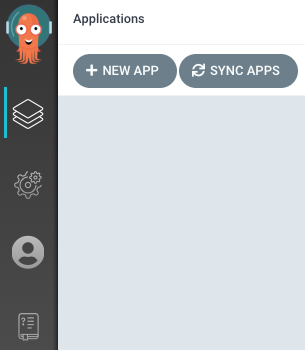
Configure the application according to the foållowing steps:
Basic Info Configuration
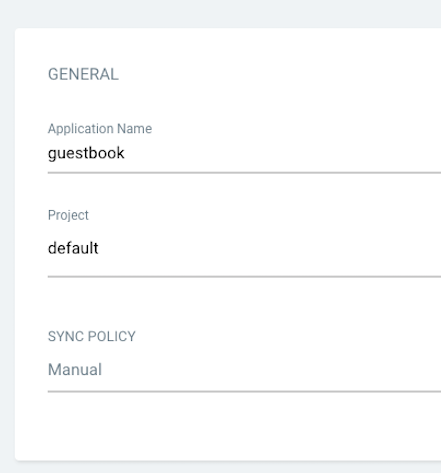
- Application Name: Input
guestbook - Project: Select
default - Sync Policy: Maintain
Manual(recommended for initial configuration)
Source Repo Configuration
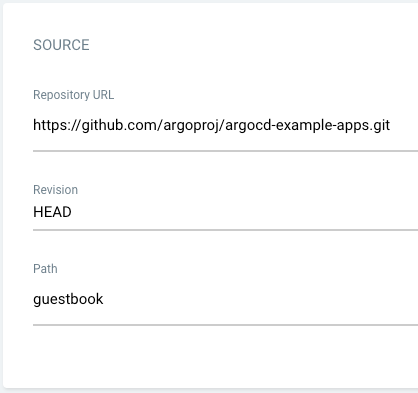
- Repository URL: Set to
https://github.com/argoproj/argocd-example-apps.git - Revision: Use default
HEAD - Path: Specify
guestbook(directory containing Kubernetes manifests)
Destination Cluster Configuration

- Clusternew: Set to
https://kubernetes.default.svc(in-cluster access) or choose a specific cluster name - Namespace: Set to
default(or specify a target namespace)
- Create Application After completing configurations, click the Create button at the top-right corner to initialize the creation of the guestbook application.